The World of Cambria utilizes the Redblade Character Generator for all characters. It is required to download this program as it is the only method through which you will be able to create or submit your character. The Program can be found here. It comes with almost everything you need to make your character. You will also need to download the Cambria Campaign file which can be found here. YOU MUST HAVE THIS FILE!! It contains some bonuses that will be applied to your character and are mandatory.
For information purposes I use the D20 Source page as well as the D and D Wiki. Any other info sources will be linked if I use them. If you find something from another source that you would like to use, you MUST send me a link. I will only use info that can be found on the net. I do not own the extended books nor do I plan on buying them, but if you can find it on the net I will peruse the info.
- Character Name
- Race
- Class
- Brainstorm Character Submission
- Deity (If Any)
- Alignment
- Stats
- Gender
- Age
- Traits
- Physical Description
- Background
- Feats
- Skills
- Analytic Character Submission : This must be e-mailed to my Gmail account
- Wealth
There seems to be some confusion on the Redblade thing, so to simplify, here is a step by step:
- Download the program Redblade (Be sure to save this to a path you know how to find again! It will be important!)
- Download the World of Cambria Campaign File (You must save this to your Redblade Campaigns folder. e.g. c://downloads/redblade/campaigns. If you do not save this to that folder you will not be able to use it.)
- Start the Redblade program. Click File and then Select Campaign. Open the Cambria.rb5 file.
- Make your character and save it when you are done. It should automatically save it to Redblade/characters. I also recommend saving a copy to your desktop, but that's just me.
- E-mail that file to MrFester420@gmail.com along with a picture if you have one
- After this I will email back a text file with some information, your money and any magic items and anything else you may need for your character
- Once you have received your text file make any necessary changes, such as buying all your equipment and equipping whatever you need to equip.
- Once you have everything done, including your background, description and goals and such then email the finished character back to me. Do not email me the html file. it does not attach properly and when i open it it is garbled. I can create my own once I have your .rb3 file.
 |  |
Races
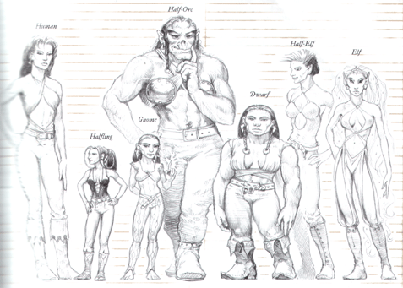
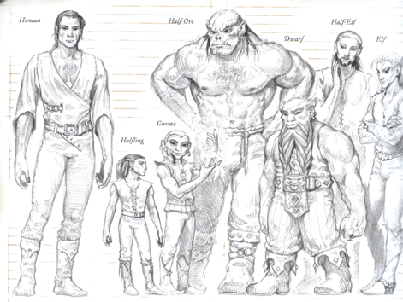
You are permitted the use of any Player character races in the Cambrian Redblade File. These are the only races currently allowed. If you wish to play a different race you must talk to me beforehand and we will discuss it.
Classes Again, you are free to use all classes supplied in the Cambria File. This includes the prestige classes listed there. If there is a class/kit you wish to use that is not currently available, please Contact DM and we will discuss the possibly of adding it. 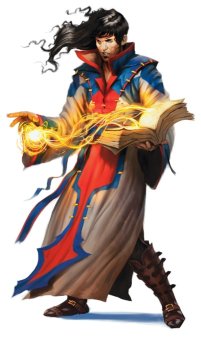 | 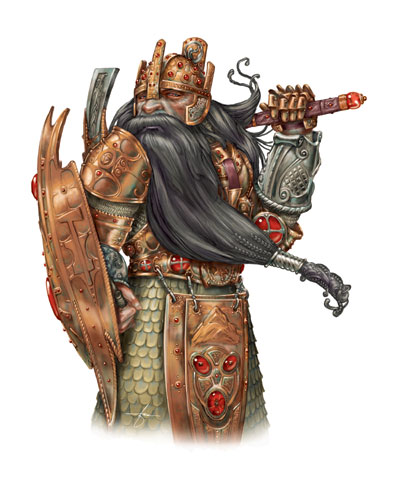 |
| The Good Stuff Traits are not required. While I definitely recommend using them to help further flesh out your characters, they are completely optional. You can find an interesting list of traits here. If there is another one you wish to have, please discuss it with the DM first. As for description i will accept either a picture or a text description. If it is textual, it must be extremely descriptive. History is a required field. I don't want a four page book, but I will also not accept a two paragraph blurb. Who is your character, what makes him/her tick. The background you supply in the redblade file will not be posted onto the website anywhere. This is a private matter between DM and player so feel free to blabber it all out. In your background be sure to list your home town as well. If you choose a Cleric you must also choose a Deity. Once chosen, you must be sure to list it in your character background box on the Redblade file. As for riches, each character gets the gold that the program gives you. I will be adding to this after you submit your character for the initial approval. You must use this money to buy any and all equipment. If you do not have it listed in your redblade file then it does not exist. The exceptions for this will be your home/stronghold/fortress should you have one as well as any equipment/men-at-arms posted there. If you choose to have a domicile then a description including the location and all equipment must be sent to me via e-mail. |
Character Submission Process
You must follow these steps when submitting your character to save us both time.
- Brainstorm Submission--This is a very simple submission. Simply E-mail me your character's name/race/class. That's it. At this point I do not want any other information. This is simply to help me from having four Elf Rangers submitted.
- Analytic Submission-- This is the submission you make after leveling to 7 and applying all stats/feats/skills/Deity (if applicable). At this point I may or may not assign some bonus wealth or items depending on what I feel fits your character. If you would like to request a specific magic item, here is the place and now is the time. Email me your redblade file. Not the HTML file, but the character file itself.
- Final Submission-- This is it. The whole kit and Kaboodle. Everything comes with this submission, any necessary pics or other files must be sent with this submission. This will be the character you will have for the game. Spell-checking is not only recommended, it is required as well as a rough grammar check.
